How to Write a Resume: The Step-by-Step Guide
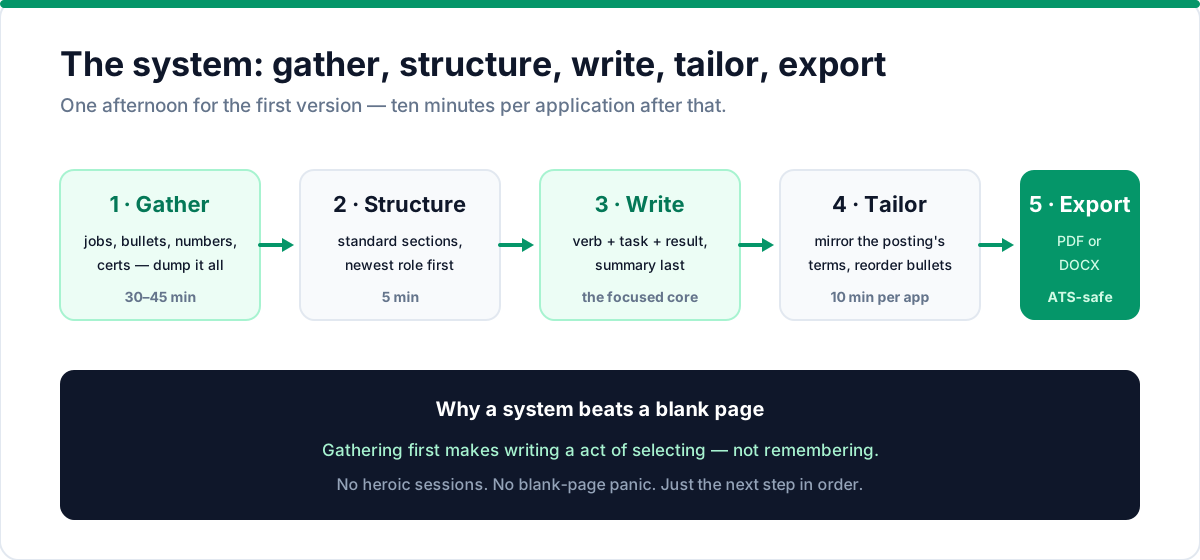
Writing a resume is a system, not a blank-page struggle. Follow this guide: gather, structure, write, tailor, and export a strong, ATS-friendly resume.
There are two ways to write a resume. The first is to stare at a blank page, type your history in order, and hope it looks professional when you're done. The second is to follow a system: gather, structure, write, tailor, export.
The system is faster, less painful, and produces better results. Here it is, step by step.
Before you start: screening is brutally fast. In Novorésumé's survey of 200+ HR professionals, 42% spend less than 10 seconds on the initial read, and 79.4% go straight to the work experience section (Novorésumé Hiring Landscape). Resumes get set aside over formatting or keyword problems, not qualifications — the steps below fix both.
Step 1: Gather everything first (30–45 minutes)
Don't start typing. Start collecting. Open a document and dump in everything from your last 10–15 years:
- Every job title and company with rough start/end dates
- For each role, the 3–5 biggest things you accomplished
- Every certification, degree, and course
- Tools, software, and technologies you've used
- Awards, publications, and notable projects
- Numbers whenever you remember them: team sizes, budgets, percentages, timelines
Write messy. This is your raw material, and you'll never use all of it. The point is to have everything in one place so the writing step becomes selecting, not remembering. Most people under-research and over-agonize; the reverse order is better.
Step 2: Pick your structure (5 minutes)
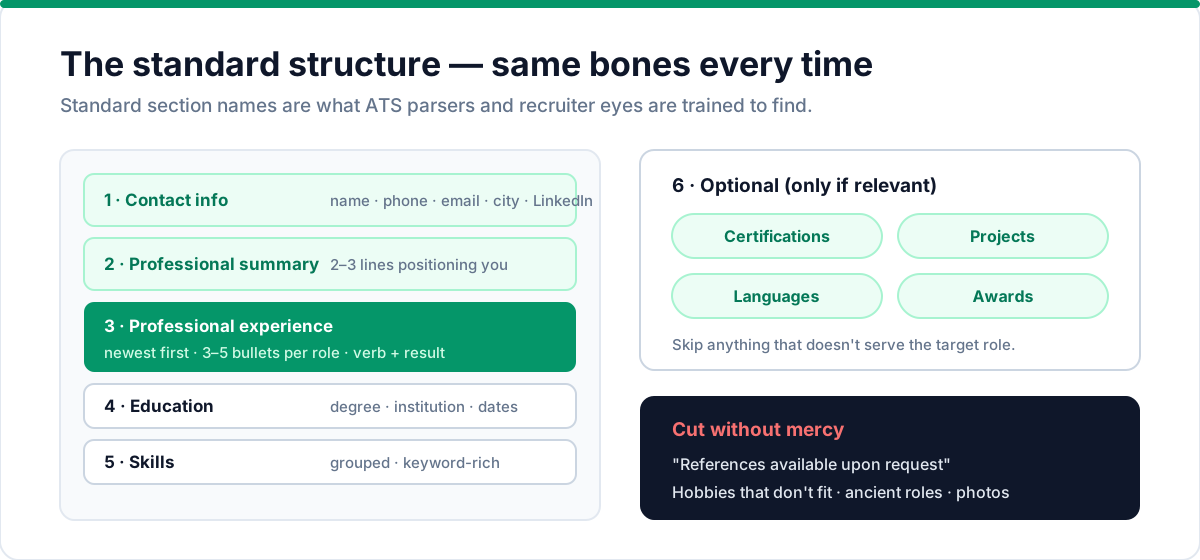
Every resume follows the same bones, and the standard order is:
- Contact info — name, phone, email, city, optional LinkedIn
- Professional summary — 2–3 lines that position you for the target role
- Professional experience — newest first, with 3–5 bullets per role
- Education — degree, institution, dates
- Skills / core competencies — grouped, keyword-rich
- Optional: certifications, projects, languages, awards
Use these standard section names. They're what ATS parsers look for, and they're what recruiters are trained to scan.
Skip anything that doesn't serve the role. An old internship, a hobbies section, or "References available upon request" all cost space without earning it.
Step 3: Write the summary last — no, really
The summary is the hardest part to write, and it's the first thing people read. So write it last, when you know what the rest of the resume actually says.
When you do write it, follow the formula: title + years + what you're best at + what you deliver.
Product designer with 11 years of experience building design systems and leading UX research. Delivered measurable gains in activation and time-to-value across B2B SaaS products.
Three lines, three specific claims, zero filler. Compare that to "Hardworking professional seeking a challenging position" — which says nothing at all. Need help choosing? Our breakdown of resume summary vs. objective shows exactly when each works. Once your resume is polished, use these same stories to prepare for behavioral interview questions with the STAR method.
Step 4: Write experience bullets that carry weight
This is the core of the resume, and it's where most people go wrong. For each role, pick your three to five biggest accomplishments and write them with a consistent shape:
Action verb → what you did → quantified result.
-
❌ "Responsible for customer onboarding"
-
✅ "Built a self-serve onboarding flow that cut time-to-first-value from 6 weeks to 2"
-
❌ "Worked on the mobile app"
-
✅ "Led the mobile redesign that lifted activation from 61% to 83%"
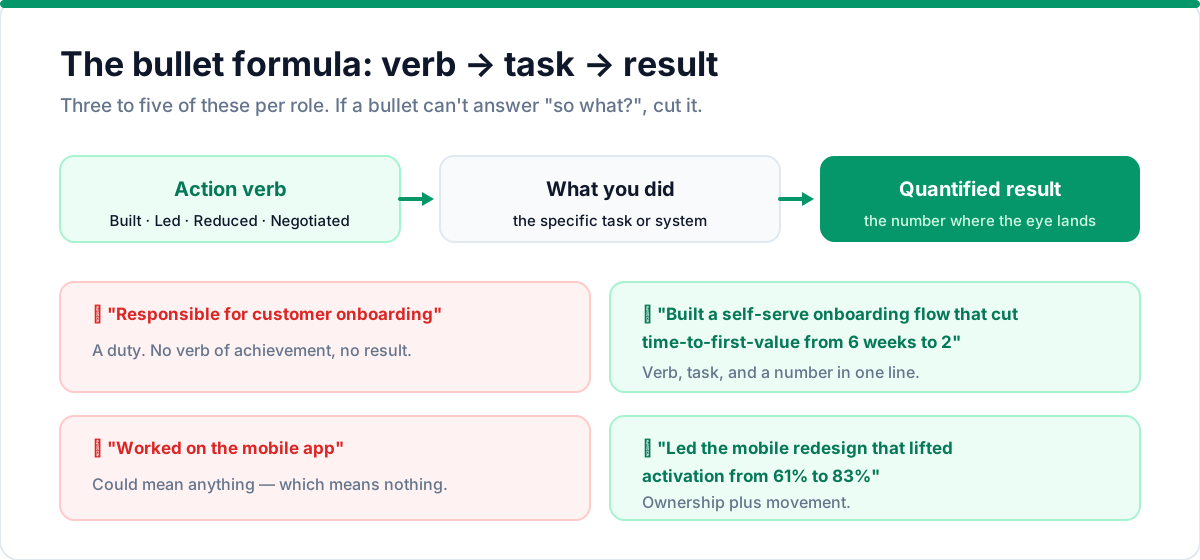
If a bullet doesn't answer "so what?", it doesn't earn its place. For the full toolkit, our list of 100+ resume action verbs has the right verb for every line, and our bullet-point guide breaks the formula down further.
Handling a career gap? Address it honestly and briefly in your summary or the affected dates — our guide to explaining career gaps covers the modern approach.
Step 5: Make skills scannable
Your skills section is where keywords concentrate, and keywords are how recruiters and ATS systems find you. Group them by category so a scanner (human or software) can read them in one glance:
- Languages & tools: Python, SQL, AWS, React, Figma
- Methodologies: Agile, CI/CD, A/B testing, design systems
- Domains: B2B SaaS, e-commerce, healthcare, fintech
Only list skills you can genuinely defend in an interview. Everything on this list is fair game the moment you're hired.
Step 6: Tailor it to the role (10 minutes per application)
Your base resume should be excellent. But "excellent" isn't enough — the resume you send must match the job you're applying to. For each serious application:
- Read the job description and note its top 5–7 repeated terms
- Check those terms appear in your summary, skills, and top bullets
- Re-order bullets so the most relevant experience leads each role
- Mirror the posting's exact phrasing ("customer success manager," not "client liaison")
Ten minutes. We've made this a repeatable method in our guide on how to tailor a resume to a job description. Skip this step and you're competing with your best resume against their best match — you lose more often than you think. If the application also asks for a cover letter, our cover letter guide shows you how to write one that reinforces your resume.
Step 7: Format for the ATS, then export
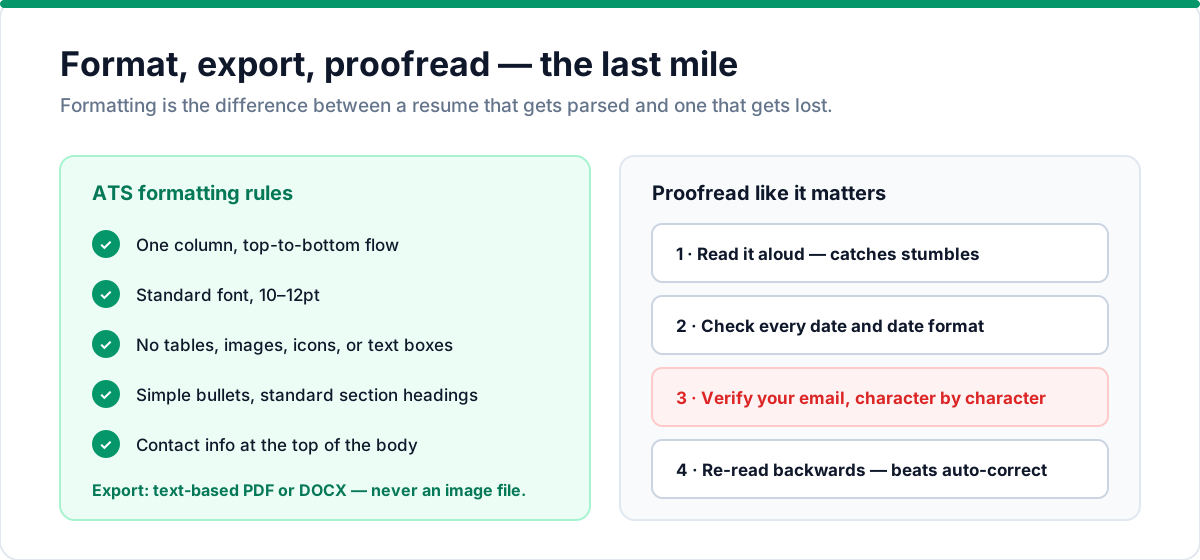
Formatting is the difference between a resume that gets parsed and one that gets lost. The rules haven't changed, and they're cheap to follow:
- One column, top-to-bottom flow
- Standard font, 10–12pt
- No tables, images, icons, or text boxes
- Simple bullets, standard section headings
- Contact info at the top of the body
Then export as a text-based PDF or DOCX — never an image-based file. Most modern systems handle either format; our ATS-friendly resume guide explains the details and the pitfalls to avoid.
Step 8: Proofread like it matters (because it does)
A typo won't automatically disqualify you, but it will make you look careless — and when a recruiter has 200 candidates, careless is an easy filter. Read it aloud. Check dates. Check your email address character by character (a wrong email kills the whole application). Ask someone else to read it. Then re-read it backwards, which catches errors your brain's auto-correct skips.
How long should your resume be?
The one-page rule is the most quoted and most misapplied advice in resume writing. The honest version:
- Early career and most applicants: one page. Nothing is lost by being tight.
- 10+ years or leadership roles: two pages is fine and often better, as long as every line earns its place.
- Never three pages unless you're in academia or research, where publication lists change the game.
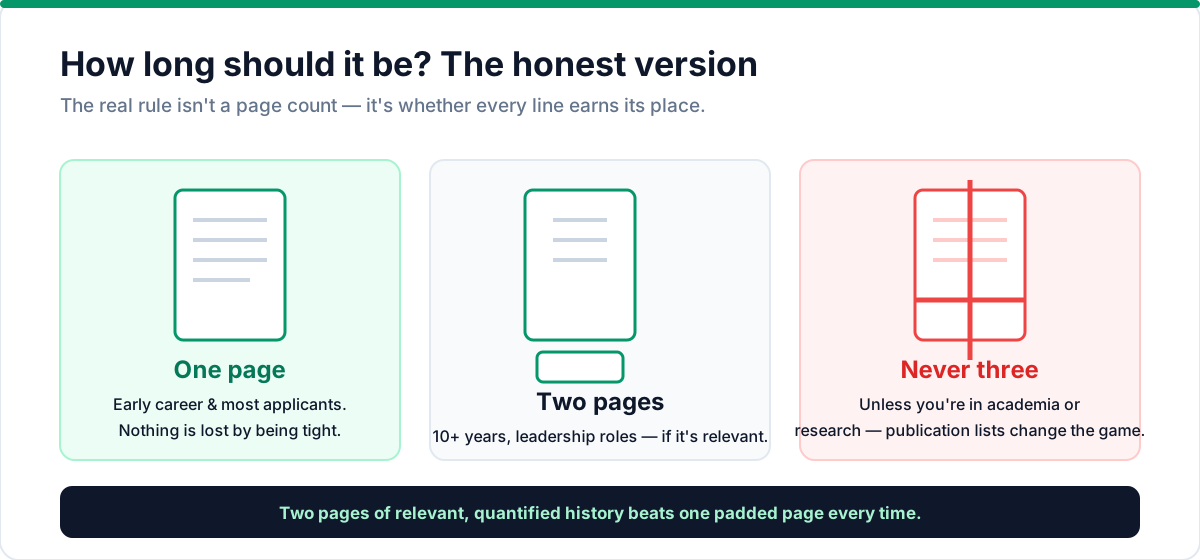
The real rule isn't a page count — it's relevance. A two-page resume full of relevant, quantified history beats a one-page resume padded to look short. We've covered this in detail in our guide on resume length. The same logic applies to cover letter length — keep it tight.
Common mistakes that quietly kill resumes
Avoid these common resume mistakes and you're already ahead of most applicants:
- A generic summary. "Hardworking professional seeking a challenging position" reads as a placeholder. Target the role instead.
- Duties, not accomplishments. "Responsible for reporting" vs. "Built the monthly reporting process, saving 4 hours of manual work a week." Every bullet should show impact.
- Typos and inconsistency. Mixed tenses, mismatched date formats — one range styled one way, the next styled another — and inconsistent role titles all signal carelessness.
- Too much formatting. Fancy fonts, multiple colors, and graphic layouts don't help and hurt parsing. Clean and standard wins.
- Old and irrelevant content. Your student award from a decade ago is noise at 10 years in. Cut it.
The right way to use a resume builder
You can absolutely write a resume in a document editor. But a purpose-built tool removes the two most common failure modes: the layout that breaks ATS parsing and the formatting that looks bad on paper.
The ideal workflow: gather your raw material, let the tool walk you through each section in order, write bullets using the verb + task + result formula, and export a clean PDF or DOCX that matches what you saw on screen. That's exactly how Talent & Story's resume builder works — guided sections, a live A4 preview, and exports that stay ATS-safe. Start building for free.
Frequently asked questions
How long should a resume be? One page for early career and most applicants. Two pages if you have 10+ years of relevant experience or a leadership role. Never three unless you're in academia. The real rule is relevance — every line should earn its place. See our guide to resume length for the full breakdown.
Do I need a cover letter with my resume? Not always, but when the application says to include one, write it. A tailored cover letter reinforces your resume with a specific narrative. Our cover letter guide shows you how to write one that doesn't repeat your resume.
Should I include a photo on my resume? No — not in the US. Photos trigger bias concerns and ATS systems can't parse them. Keep your resume to text only.
What file format should I save my resume in? PDF is the safest default — it preserves formatting across devices. Some ATS systems prefer DOCX, so check the application's requirements. Our ATS-friendly guide covers format compatibility in detail.
How many jobs should I list on my resume? Focus on the last 10–15 years. Older roles can be summarized in a single line or cut entirely if they're not relevant to your target role.
Should I include references on my resume? No — "References available upon request" is outdated. Employers will ask for references during the interview process. Use that space for another bullet that shows impact.
How do I write a resume with no experience? Lead with education, projects, and transferable skills. Internships, volunteer work, and coursework all count. Our resume summary vs. objective guide shows how to position a newer career.
The bottom line
A resume isn't written in one heroic session. It's assembled: gather the raw material, build the standard structure, write bullets that prove impact, make skills scannable, tailor to the target role, format for the ATS, and proofread. The system takes a focused afternoon for the first version and ten minutes per application after that.
That's exactly how Talent & Story works, by the way — a guided builder walks you through each section, scores your resume against the job description, and exports a clean, ATS-safe PDF or DOCX. Once your resume is ready, track your applications in the job tracker or start building for free.
Put this into practice with Talent & Story
Build an ATS-friendly resume, get an instant compatibility score, and manage your entire job search in one workspace.
Written by
Talent & Story Team · Career Workspace
We build Talent & Story — the career workspace for building ATS-friendly resumes, writing cover letters, tracking applications, and preparing for interviews. Every guide is written to be practical enough to use the same day.